Ship until you make it
No one expected this, but mobile apps are back

The last post I wrote about So it begins – that moment where you stop overthinking and start shipping things into the world. Since then I made myself a simple, stupid promise: every month, something new has to go live. No excuses. No stealth mode. Just shipping.
“Fake it until you make it” is dead. Now it’s “ship until you make it”. You don’t need to pretend you’re big, funded, or important anymore. Building real solutions is cheaper than ever, and there’s a marketplace of billions of people out there waiting for something that actually solves a problem on their phone.
I’m fully on that boat right now. I can’t stop throwing ideas into the world. Nobody asked for any of them, but my ego loves seeing these things exist.
So here we are: I promised I’d ship something new every month, and today I have real progress to show. Some things are brand new, others are big upgrades, but the pattern is the same: ship, learn, repeat.
O Canteiro 3D – new app approved
First output of this never‑ending sprint: O Canteiro 3D just got approved on the App Store. It’s a simple GLB viewer – GLB is a 3D file format very common on the web, and most of those “spin the 3D object in your browser” experiences are basically GLB files under the hood.
Why did I build this? Because I needed it. I do a lot of 3D work, mainly booth design. My pipeline today is: I start in SketchUp to design the booth, then move everything into Blender to add proper materials, lights and do the final renders. Between those two worlds, I export the SketchUp model as a GLB file so Blender can understand it.
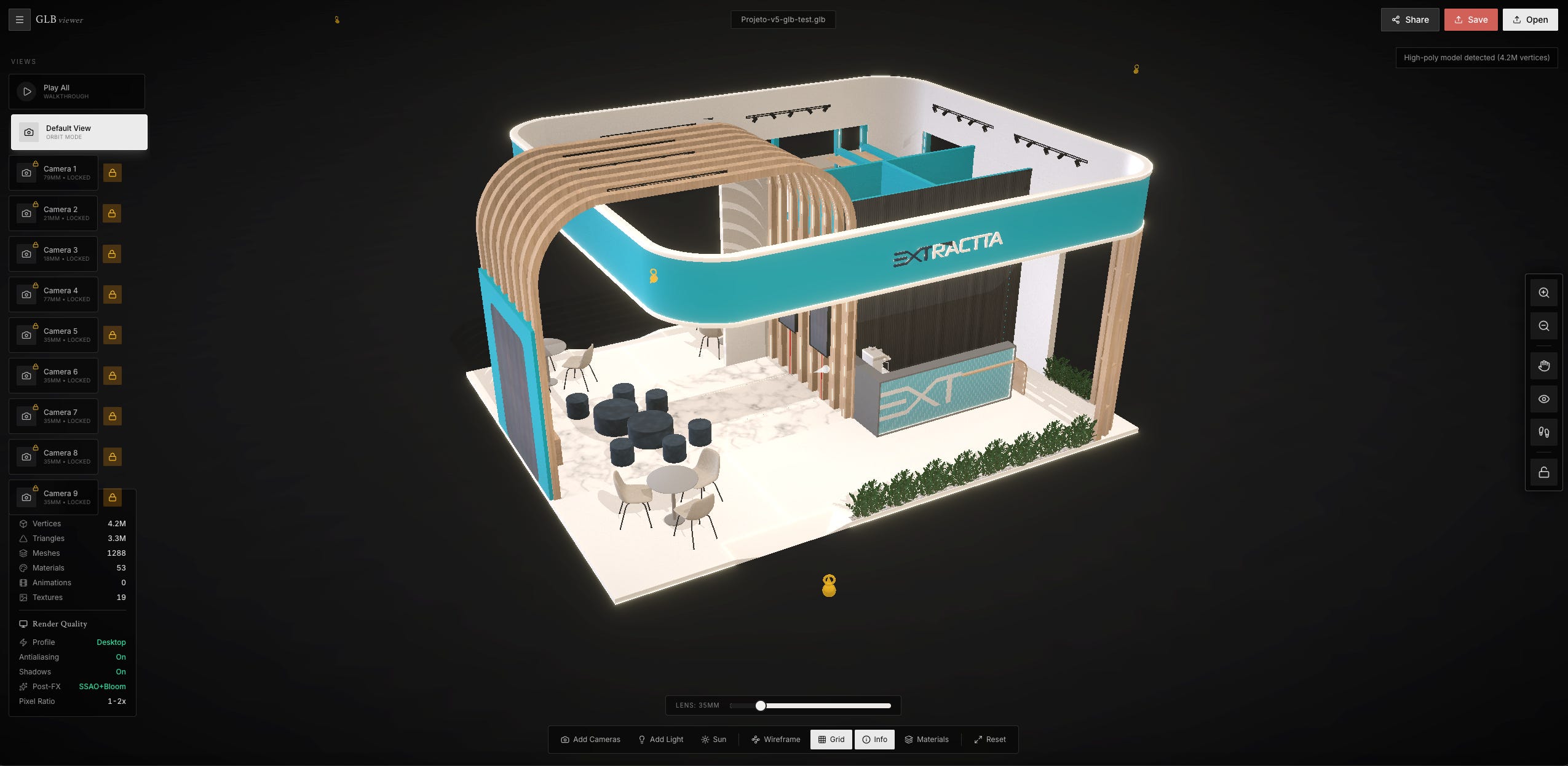
Try it: https://3d.ocanteiro.com.br/share/n3y0fc4a
Download it: https://apps.apple.com/us/app/o-canteiro-3d/id6758953805
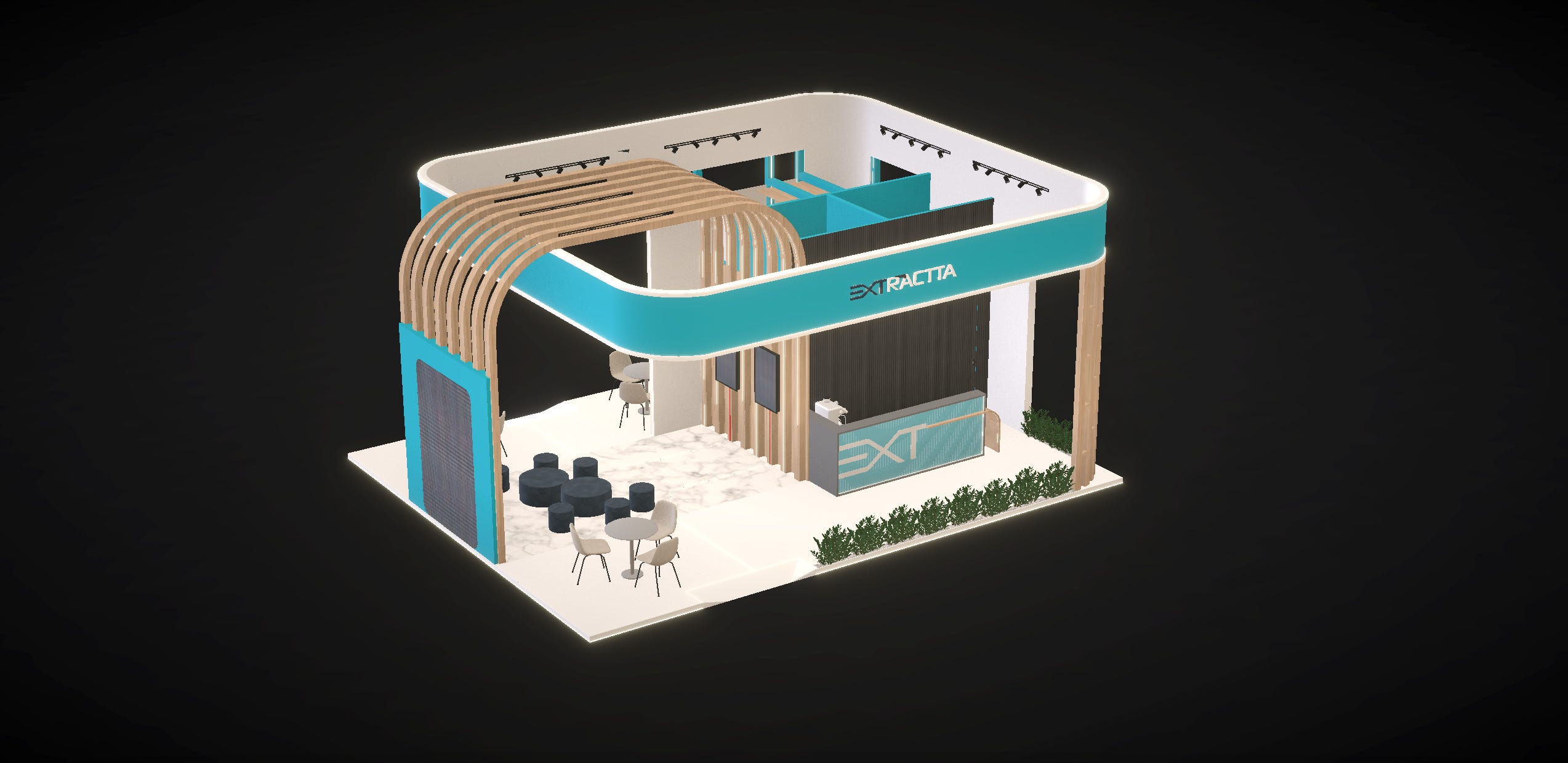
With this new tool, I can upload the GLB, share a link with my client, and let them explore the full 3D model before I waste time rendering (which takes forever). They can spin, zoom, and understand the space without me exporting a single PNG.
It’s already fun to use: I can set up cameras, auto‑animate between them, and tweak some texture details. I’m improving the tool every week. The iOS app is a simple viewer for now. To actually create and share models, you use the web app at 3d.ocanteiro.com.br – no account needed, just open and use it.
I see real potential here. It’s also my way of putting the O Canteiro brand out there ahead of the full, never‑ending construction app I’m slowly building in the background.
Leão Manso – the IRS helper
Next up: Leão Manso. This one is more brutal: it exists to deal with taxes in Brazil and, hopefully, to make some money right now.
It’s focused on Brazilian IRS rules. I built it for myself first, to make it easier to track income and expenses and see how much tax I owe. From there, the app generates all the data I need to fill in a DARF and pay the robber – I mean, the government.
The model is simple: one‑time payment unlocks the premium stuff – export data as PDF, get the DARF info, add properties so you can calculate rental income, and register as many entries per month as you need. If you’re Brazilian and somehow reading this, go download it and play with it. If you’re not, support this solo dev who’s sharing all the secret sauce for free. I’ll add support for other countries later.
Existing apps leveling up
It’s not just new apps. The existing ones are getting love too.
Save a Dad v2: new “kids mode” that locks the UI when you set it up on a spare phone for your kid, plus UI improvements and bug fixes. Still free, still with the mini games we love. https://apps.apple.com/br/app/save-a-dad/id6755739354
MKTPro: in‑app purchases are live. I refined the UI and the AI logic so the output is actually useful now. I still need to find who exactly wants this kind of tool, but I’m using it for my clients and it’s been genuinely helpful. https://apps.apple.com/br/app/mktpro/id6756627911
EME App: Apple approved, in store, about 90% done. I had to rewrite some of the FIPE integration and database logic, and I used the chance to polish UI and kill bugs. https://apps.apple.com/br/app/eme/id1497802327
What’s coming next
And of course, there’s more coming. Tripnai iOS App is almost ready for showtime. But the web app is already up and running with the new UI: https://tripnai.com/
Other ideas are lining up behind it.
Introduce WhatsDeck:
One of them is WhatsDeck: create a pitch deck from WhatsApp. You write or send an audio with what you need, and AI turns that into a portrait‑mode slide deck ready to share. Sounds simple, but orchestrating everything behind the scenes is… not. Still, it’s coming soon.
When I launched this series I said I’d document the actual journey of building apps, not just the highlight reel. This is what it looks like: random ideas, small tools for myself, ugly first versions, tax apps, kids’ games, EV stuff, decks from WhatsApp. None of this was in a five‑year plan.
But mobile apps are a thing again. Distribution is weird, AI is changing everything, and indie devs like me have a real shot if we just keep shipping. So that’s the plan: